Steps For Leaving A Review
- Click here to leave a review.
- Sign into your Google Account. Or see below if you don’t have a Google Account!
- Provide a star-rating and share details about your HVAC project.
- Click “Post”. And you’re done! We so appreciate customers like you. Thank you!
You Don’t Have To Have A Google Account!
Google makes it look like you have to create a Google account, but you don’t!!! Here’s how to bypass creating an account:
Step 1
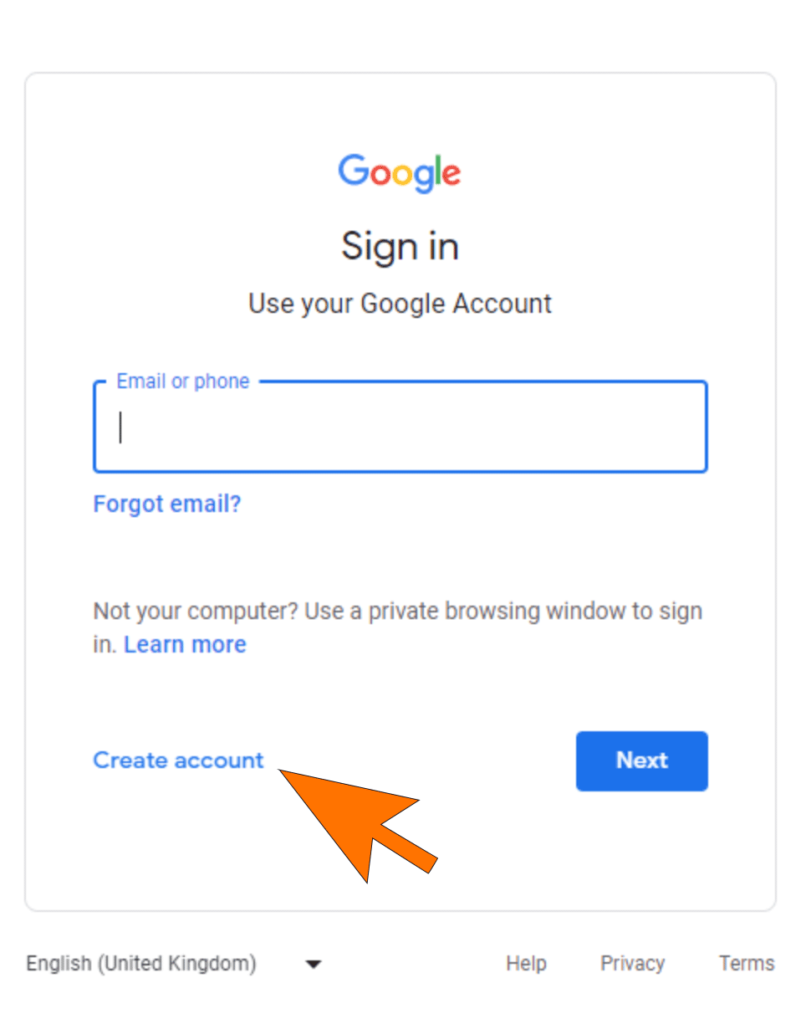
When you click the review link, you’ll be asked to sign in to Google. Instead, click on Create Account (you won’t have to actually create one!)
Step 2
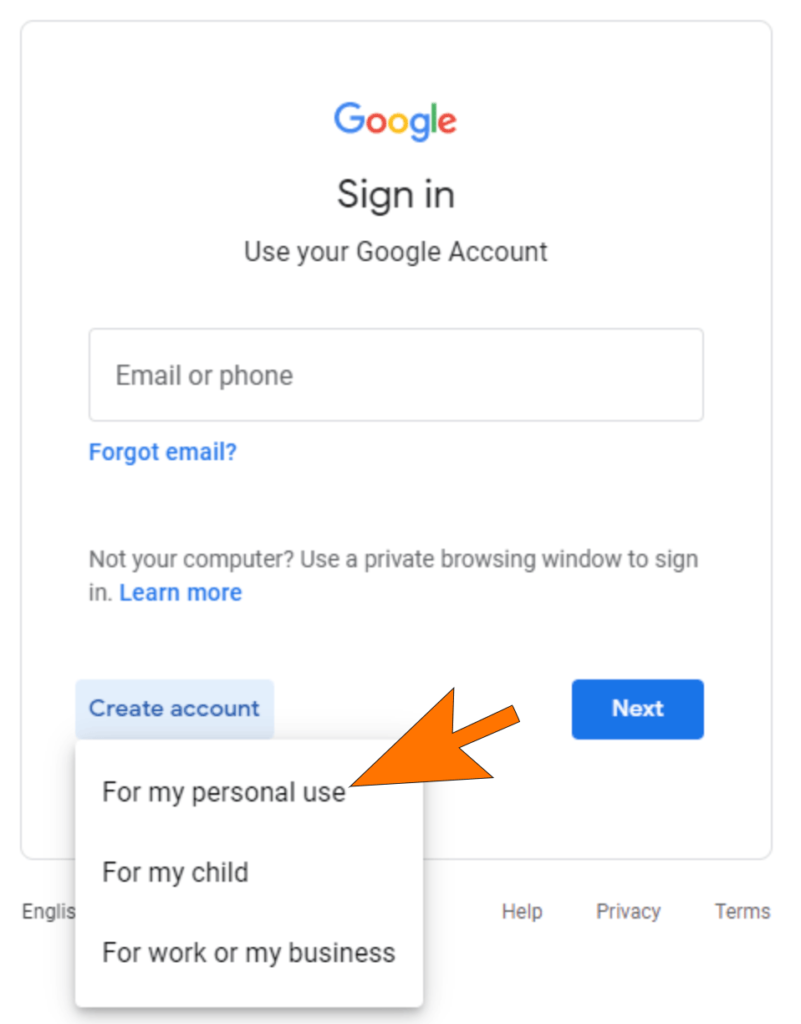
Choose “personal use”, then you’ll have to enter your first/last name and a birthdate (Google doesn’t want minors leaving reviews).
Step 3
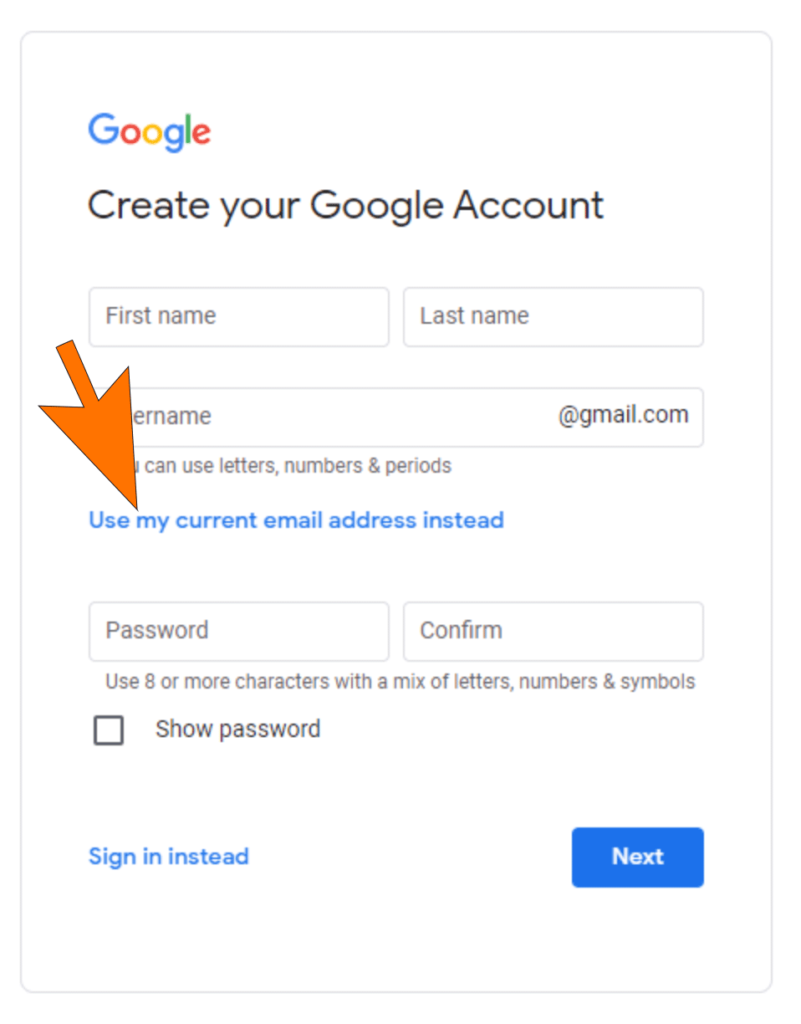
Your next page may look slightly different, but look for “use current email address instead”. This prevents you from having to create the account.